ChromaBlend - Balanced VS Code Theme
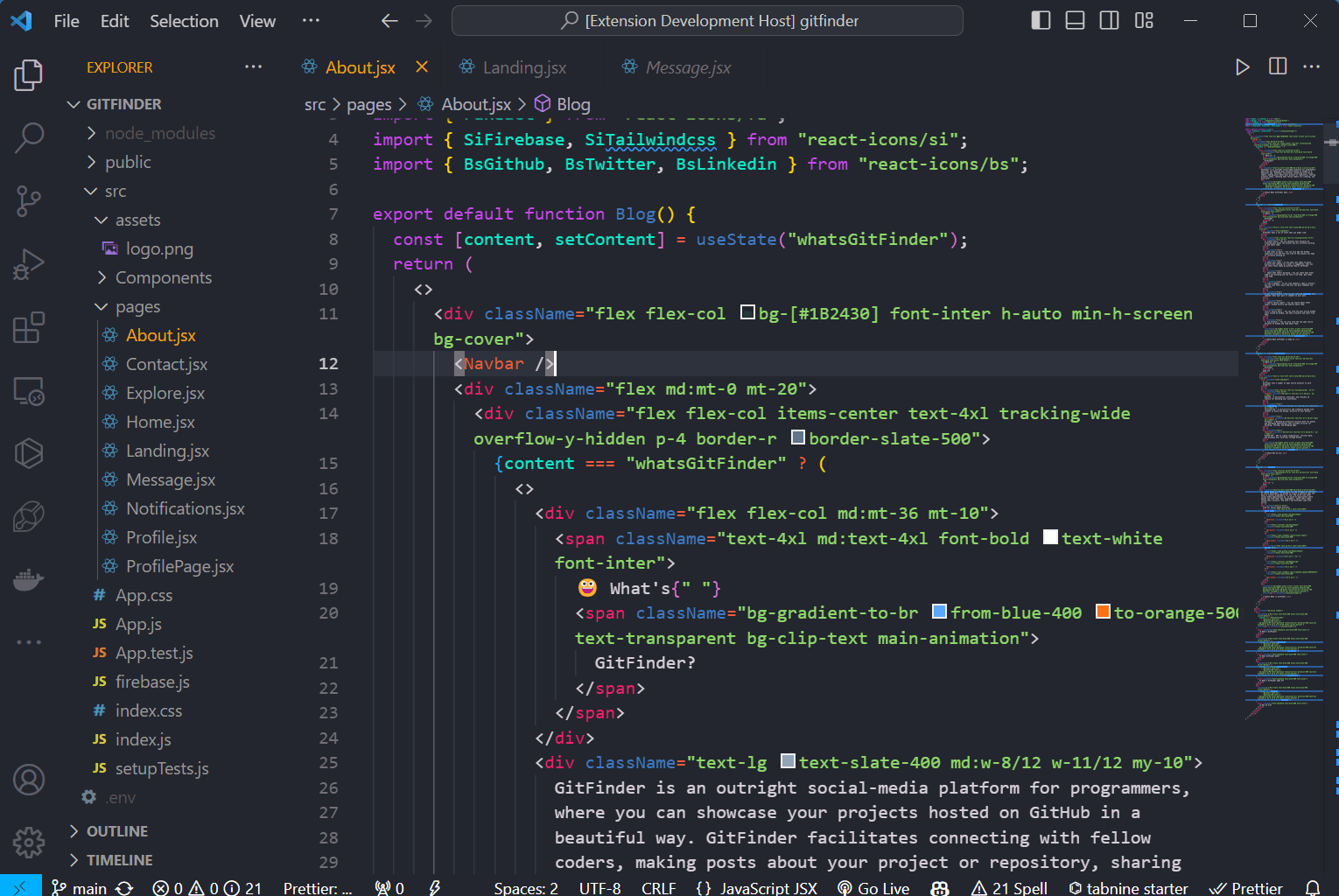
Many code editor themes are either too dull or too bright. ChromaBlend is a balanced VS Code theme with clear syntax coloring that stays easy on your eyes during long sessions.
https://marketplace.visualstudio.com/items?itemName=BamaCharanChhandogi.chromablend
The Problem
Most editor themes either have washed-out colors where functions, variables, and keywords all look similar, or they use loud neon colors that give you eye strain after staring at code for 4 hours.
How ChromaBlend Solves It
ChromaBlend was designed with a carefully balanced palette based on soft greens, pinks, and blues over a deep dark background. Variables, functions, and string literals have clear, distinct colors without feeling visually aggressive or tiring.
How It's Built
- TextMate Scoping: Carefully assigned token scopes so keywords, parameters, and comments stand out clearly across TypeScript, JavaScript, Python, and Java.
- Full Editor Theming: Styled not just code text, but also the sidebar, tabs, terminal, and git diff markers for a consistent look.
What It Means
A polished, published developer theme on the VS Code Marketplace built for everyday comfort.